Gallery Vault-Hide Photo Video
- 4.4
- Rating
- 50.00M
- Installs
- Free
- Price

 Analysis by App-foxy
I came away from Gallery Vault-Hide Photo Video with a clear impression: it is most useful when you want a private, practical place for personal pictures and videos, not when you are looking for a full replacement for a modern photo library. Its focus is straightforward—hiding media, locking access, downloading videos, and backing up selected content to the cloud—and that narrow purpose makes it easier to understand than many overloaded gallery tools.
I tested it with the mindset of an everyday phone user rather than someone managing a professional media archive. The important question is not whether it can display photos; every phone already does that. The real question is whether it gives you a comfortable way to separate private media from the main gallery without making ordinary viewing and moving files unnecessarily frustrating. In my experience, it succeeds best as a privacy layer around sensitive content, while its broader video features feel more like useful extras than a complete editing or media-management solution.
What the app does well in daily use
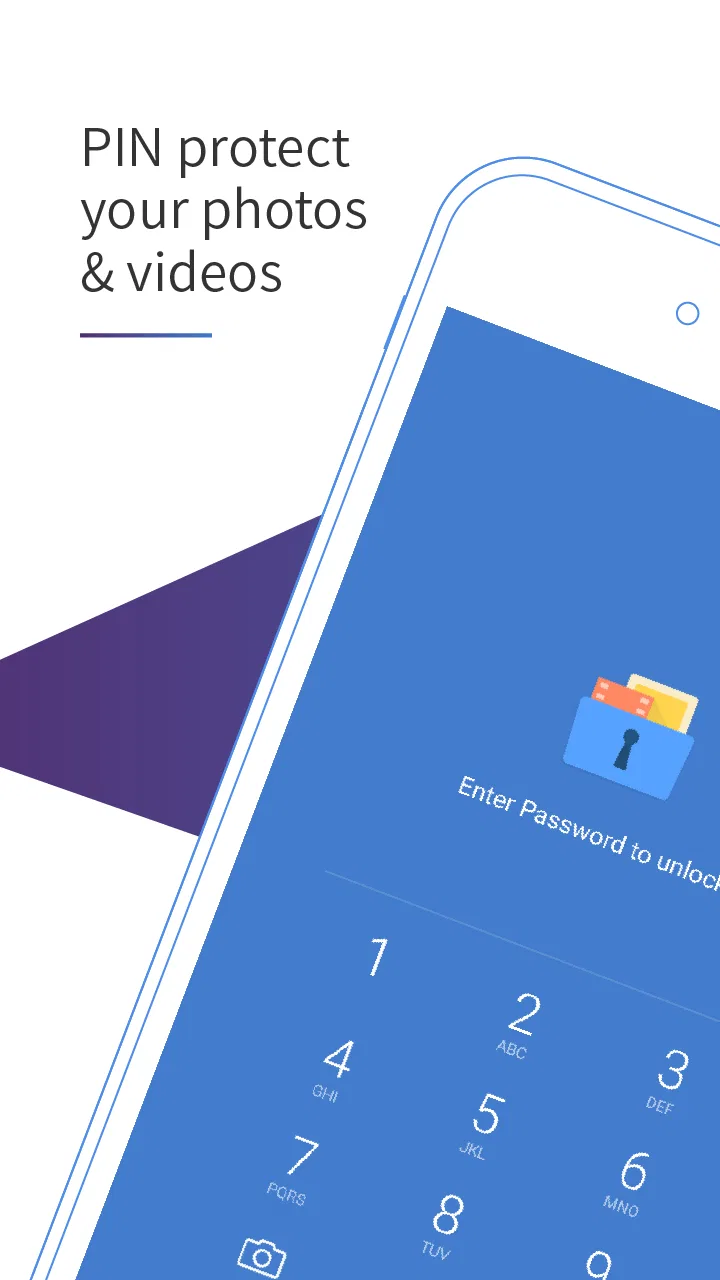
The first thing I noticed is that the app has a simple mental model. You bring pictures or videos into a protected area, then view them from inside the app instead of leaving them exposed in the regular gallery. That distinction matters for people who share a phone occasionally, hand it to a family member to show a picture, or simply do not want every personal file visible when another person scrolls through the device.
You May Also Like

 Blood Strike: 2.5 Anniversary
Blood Strike’s Loadouts Turn Every Drop Into a Tactical Gamble
A close look at Blood Strike’s custom loadouts: how fast access to signature weapons reshapes its battle royale rhythm, rewards preparation, and narrows the gap between fights.

 Pandora - Music & Podcasts
Pandora’s Music Is Easy to Start, but Harder to Recover
Pandora’s strength is its low-effort path from a seed to a station. Its weak spot is how much confidence it asks you to place in connection, setup, and quiet recovery.

 8 Ball Pool
 Is Built on Rivalries, Rematches, and Routine
A close look at the rivalries, rematches, shared routines, and unanswered safety questions that turn a quick pool match into a persistent mobile community.

 Samsung Music
’s Quiet Strength Is Playing What You Already Own
Its reach comes less from spectacle than from dependable access to a personal library. That simplicity is both the app’s strongest retention engine and its ceiling.

 AccuWeather: Weather Radar
AccuWeather Review: A Quick, Clear Forecast for Everyday Decisions
For everyday plans, the best forecast is the one you can understand quickly. AccuWeather makes rain timing, radar, and local conditions easy to act on, with a few trade-offs.

 Hill Climb Racing
Why Hill Climb Racing Still Turns Crashes Into One More Run
A tiny car, a bumpy hill and one more upgrade: Hill Climb Racing keeps resurfacing because its simple chaos makes every near-miss feel personal.
More From Our News Desk



Its category is Video Players & Editors, but I would describe the experience more accurately as a private media vault with video-related tools. The store summary also points to video downloading and cloud backup, yet the privacy function is the reason I would install it. If your main goal is trimming clips, adding effects, or building polished social videos, this is not the app I would put first. If your goal is keeping selected media away from the standard gallery, the design makes much more sense.
The developer is GalleryVault Developer Team, and the app has been around since August 4, 2012. That long presence helps explain why it feels like a mature utility rather than a newly assembled feature bundle. It has reached over fifty million installs and holds a 4.4 average from around six hundred thousand ratings, with roughly thirteen thousand written reviews. Those figures do not replace personal testing, but they do show that the basic idea has been useful to a large audience.
Moving private media without changing your whole phone
The most practical workflow is selective rather than extreme. I would not move an entire camera roll into a vault unless I had a particular reason. Instead, I would start with a small group: documents photographed for temporary use, personal videos, screenshots containing private information, or images I do not want appearing during casual gallery browsing. This keeps the protected area manageable and makes it easier to find things later.
That selective approach is one of the app's less obvious strengths. A vault can become annoying when it turns into a second, disorganized gallery. By treating it as a private shelf rather than a complete replacement for the phone's media library, I found the purpose clearer. The regular gallery remains convenient for ordinary pictures, while the vault handles content that deserves an extra barrier.
I also recommend deciding in advance what should happen to the original files after importing them. A privacy app is only helpful if the exposed copy is no longer sitting in the normal gallery or a familiar file location. The safest habit is to verify the item inside the vault, then check that you are not leaving an unwanted duplicate elsewhere. This is a general privacy workflow, but it is especially important here because moving media can create a false sense of security if the original remains visible.
Why the lock matters more than the visual design
The interface is not the reason to choose this app. Its value is the separation between ordinary gallery access and protected viewing. I found that more useful than decorative presentation because privacy tools should reduce accidental exposure, not compete for attention.
Still, a lock is not the same as perfect secrecy. I would use the app to protect against casual browsing and accidental discovery, not as a guarantee against a determined person who controls the device, knows the device credentials, or can inspect backups and storage through other means. That distinction is important. The app adds a meaningful layer, but it does not turn a phone into a forensic-proof container.
Before placing anything important inside, I would spend a minute learning the recovery process and making sure I can recognize the correct protected area. Privacy utilities become stressful when the owner forgets how to access their own files. The best setup is one that is private from other people but still predictable for you.
Video downloading is useful, but it changes the responsibility
The ability to download videos gives the app a broader role than a simple photo locker. I can see the appeal when someone wants to keep a video available for personal viewing or organize downloaded clips away from the main gallery. It is convenient to have the downloaded material close to the private media collection instead of juggling several unrelated tools.
However, I would treat downloading as a convenience, not a reason to ignore ownership or platform rules. A tool that can save a video does not automatically grant permission to reuse it, repost it, or distribute it. For my own use, the feature makes sense when I am handling content I am allowed to keep. For public sharing or serious video production, I would choose a dedicated editor or a platform's own offline feature when available.
There is also a practical organization issue. Downloaded videos can consume storage quickly, especially when several high-resolution clips accumulate. I would periodically review the vault and remove files I no longer need. This is one of the trade-offs that a short store description cannot convey: privacy and convenience can encourage you to keep more media than you actually use.
Cloud backup can prevent one kind of disaster
Cloud backup is potentially the most reassuring feature for anyone who worries about losing a phone. A private collection is not truly safe if it exists only on one device. If the phone breaks, disappears, or is reset, a local vault can disappear with it. Backup gives the app a role beyond hiding files from casual viewers.
At the same time, backup deserves careful thought. I would not assume that moving a file into a vault automatically means it is safely backed up. I would look for a clear indication that the upload has completed before deleting any local copy, especially when dealing with irreplaceable photos. I would also consider whether the privacy convenience of cloud storage fits the sensitivity of the files involved. A backup is valuable, but it creates another place that must be protected.
My preferred workflow would be to import a small test group, confirm that the media opens correctly, allow the backup process to finish, and only then organize the originals. That staged approach reduces the chance of losing files through a rushed cleanup. It also helps reveal whether the backup process suits your connection, storage habits, and patience.
Where the experience becomes less convincing
The main weakness is that a vault can add friction to simple tasks. A normal phone gallery is built for instant browsing, sharing, searching, and sending media to other apps. A protected gallery necessarily places an extra step between you and those actions. When I wanted privacy, that trade-off felt reasonable. When I wanted to quickly attach a clip to a message or find an old image, it was less convenient than using the standard gallery.
This means the app works best with deliberate privacy boundaries. If you constantly move files in and out, you may end up managing two galleries and wondering where a particular item lives. I would avoid using it as a temporary dumping ground. Instead, I would establish a simple rule: ordinary memories stay in the regular gallery, while genuinely private or sensitive items go into the vault.
The app also should not be confused with a complete editor despite its category. Someone shopping for timeline editing, captions, transitions, color controls, or a polished export workflow will probably be happier with a dedicated video editor. The presence of video downloading and playback does not make this a production tool. Its strength is controlled access, not creative post-production.
Who should install it, and who should skip it
I think it is a good fit for people who share devices, travel with personal documents on their phones, or want a separate place for media that should not appear during ordinary gallery use. It can also suit users who want one app to combine a private vault with video saving and backup rather than installing several narrowly focused utilities.
It is particularly useful in everyday situations that are easy to overlook. Imagine showing a friend a vacation picture while your phone contains private screenshots, family videos, or scanned paperwork. Having those items separated beforehand reduces the risk of an awkward accidental swipe. The same applies when lending a phone to a child, passing it to a colleague for a quick task, or letting someone browse a set of selected images.
I would be more cautious about recommending it to someone who already relies on a strong built-in private folder and is satisfied with it. A second vault may duplicate features and make file locations harder to remember. I would also skip it if my priority were advanced editing, professional media cataloging, or seamless integration with every sharing workflow. In those cases, the phone's native gallery or a specialist editor may be the better choice.
Because the app is free to install, it is easy to try without committing to a purchase. It includes in-app purchases ranging from $0.99 to $48.99 per item, so I would examine the available paid options carefully before assuming every backup or convenience feature is included at no cost. The free starting point is helpful, but the overall value depends on which extras you actually need.
Compatibility, maturity, and what to check first
The current version is 4.6.33 and it requires Android 6.0 or later. That makes it accessible on many older Android phones, although compatibility alone does not tell you how smoothly it will feel on a particular device. Media-heavy apps depend heavily on available storage, the number of files, and the condition of the phone, so I would begin with a modest collection rather than importing everything at once.
The Everyone content rating also makes the app broadly approachable, but that rating is about suitability of the app's content, not a promise that every privacy scenario is covered. Parents, couples, and people handling work documents should still decide their own rules for device access, backups, and shared accounts.
One practical tip is to keep a small inventory of what you place inside. You do not need a formal spreadsheet; even a simple mental grouping such as “private videos,” “temporary documents,” and “personal photos” can prevent the vault from becoming confusing. Another useful habit is to review old downloads after a trip or project ends. Private storage is easier to trust when it remains intentional.
I would also test the complete cycle before relying on it: import one file, open it, close and reopen the app, try the relevant sharing or viewing action, and confirm the backup behavior if you plan to use it. This is not glamorous, but it answers the questions that matter in real life: can you find your files, can you access them when needed, and do you understand where copies exist?
How it compares with ordinary alternatives
The standard phone gallery wins for speed and convenience. It is usually the natural place for browsing a camera roll, creating albums, and sharing a picture. Its weakness is that it is also the first place another person may look. Gallery Vault adds a boundary that a general-purpose gallery is not designed to provide.
A built-in private folder, when a phone offers one, may feel more integrated because it is part of the system's own gallery and security model. That can be preferable if you want fewer apps and a single media library. This app becomes more attractive when you want a dedicated vault with its own focus, especially if the video download and cloud backup functions fit your routine.
Dedicated cloud photo services are often better for automatic organization, search, and broad device access. They may be less satisfying when your first concern is keeping selected media out of the visible gallery on one phone. Dedicated video editors are clearly better for creative work. The useful distinction is simple: choose this app for private storage and controlled access, not because its category label suggests it replaces every other media tool.
My final recommendation
After using it as a private media utility, I would recommend it to someone who wants a clear separation between everyday gallery content and files that should remain discreet. The combination of hiding pictures and videos, locking access, downloading videos, and backing up selected media gives it more practical range than a bare photo locker.
My recommendation comes with a condition: use it intentionally. Keep the vault organized, verify backups before deleting originals, remember that cloud copies deserve their own protection, and do not mistake a privacy layer for absolute security. If you follow those habits, the app can solve a very specific and common phone problem without demanding that you rebuild your entire media workflow.
For me, the strongest case is not that it does everything. It is that it gives private media a separate home and makes accidental exposure less likely. The biggest drawback is the extra friction that comes with that separation. If that trade-off matches your priorities, the free entry point makes Gallery Vault-Hide Photo Video worth trying on a compatible Android device. If you mainly want fast gallery browsing or serious video editing, I would stay with the phone's native tools or choose a specialist app instead.
FAQs for Gallery Vault-Hide Photo Video
01What is Gallery Vault-Hide Photo Video used for?
Gallery Vault-Hide Photo Video is a privacy-focused app designed to conceal personal photos and videos from the regular gallery. After importing selected media, the files are kept inside a protected vault and can be viewed through the app rather than the device’s standard photo application. It is useful for keeping private memories, documents, or sensitive recordings away from casual access.
02How does Gallery Vault-Hide Photo Video protect hidden files?
The app generally protects the vault with a PIN, password, pattern, or another available security method, depending on the device and app version. Once media is moved into the vault, it should no longer appear in ordinary gallery views. However, users should still choose a strong passcode, enable any additional security options, and keep their phone protected because no app can replace overall device security.
03Can I recover my photos and videos if I uninstall the app or lose my phone?
Recovery depends on how the app stores its vault and whether you have created a backup. Uninstalling the application, clearing its data, resetting the phone, or changing devices may permanently remove hidden files if they are stored only locally. Before making major changes, export important media or use a trusted backup method, and check the app’s recovery and backup settings rather than assuming hidden files are automatically synchronized.
04Does Gallery Vault-Hide Photo Video require internet access?
Basic vault functions, such as importing, hiding, and viewing locally stored photos or videos, can usually work without a continuous internet connection. Internet access may still be requested for advertising, analytics, updates, cloud-related features, or optional services. Because permissions and behavior can vary between versions, review the app’s permission list and privacy policy before granting access, especially if you plan to store highly confidential content.
05What should I check before downloading Gallery Vault-Hide Photo Video?
Before installing, verify that the application comes from a trustworthy store and that its developer, ratings, recent reviews, update history, and requested permissions look reasonable. Confirm whether the free version includes advertisements, in-app purchases, or feature limits. Also check compatibility with your Android or iOS version and make sure you understand the backup process, since privacy vault apps can create serious data-loss problems if their passcode or local files cannot be recovered.
Pros
- Disguises private files behind a calculator-style app icon.
- Supports PIN
- pattern
- and fingerprint access for flexible protection.
- Can organize hidden photos and videos into separate albums.
- Includes an integrated private browser for discreet downloads.
- Offers backup and recovery options to help prevent accidental data loss.
Cons
- Some privacy tools and cloud features may require a paid subscription.
- Forgetting the vault password can make file recovery difficult or impossible.
- Hidden media may still occupy considerable storage space on the device.
- The app may request broad permissions to access photos
- videos
- and files.
- Ads can interrupt the experience in the free version.

Gallery Vault-Hide Photo Video
Gallery